
1
Hours come in
Payroll runs from approved hours, with each employee's pay structure applied. Overtime, rest-day premiums and absences are worked out from the record, day by day.
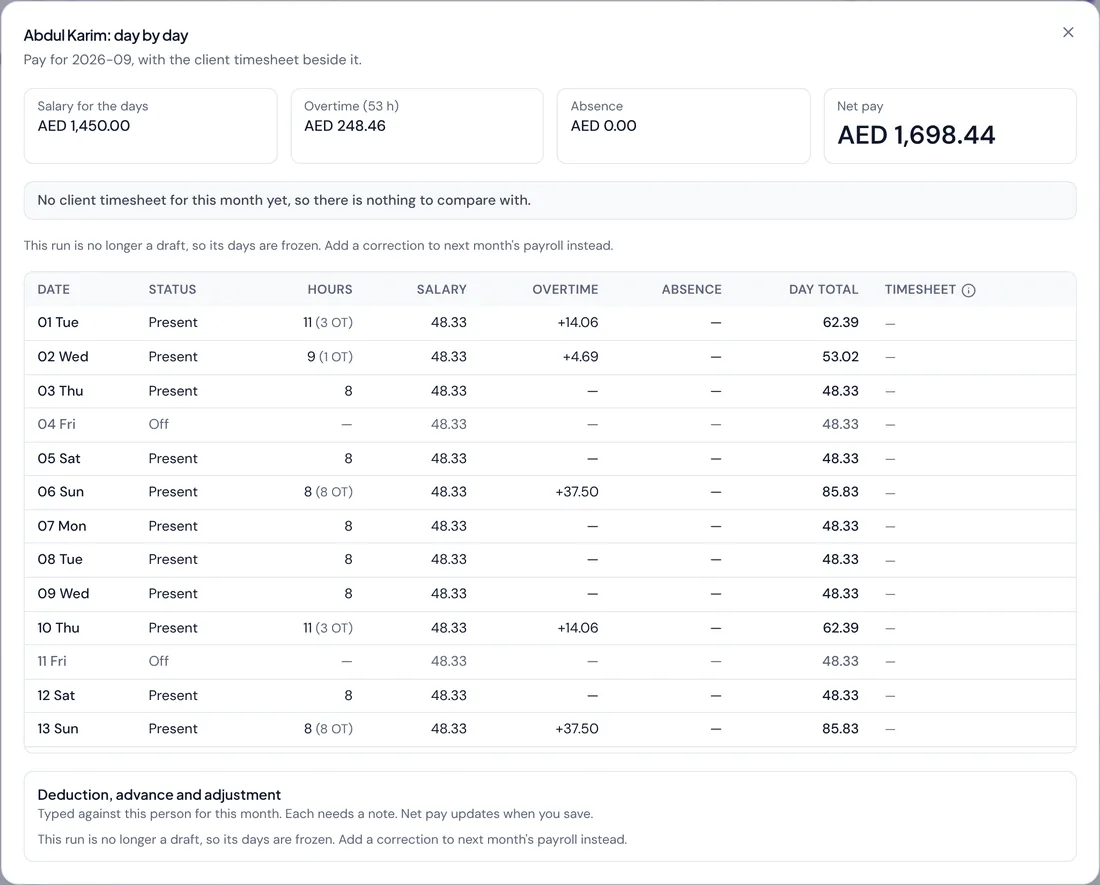
From approved hours to a bank-ready WPS file, with overtime, loans and gratuity worked out the same way every month.
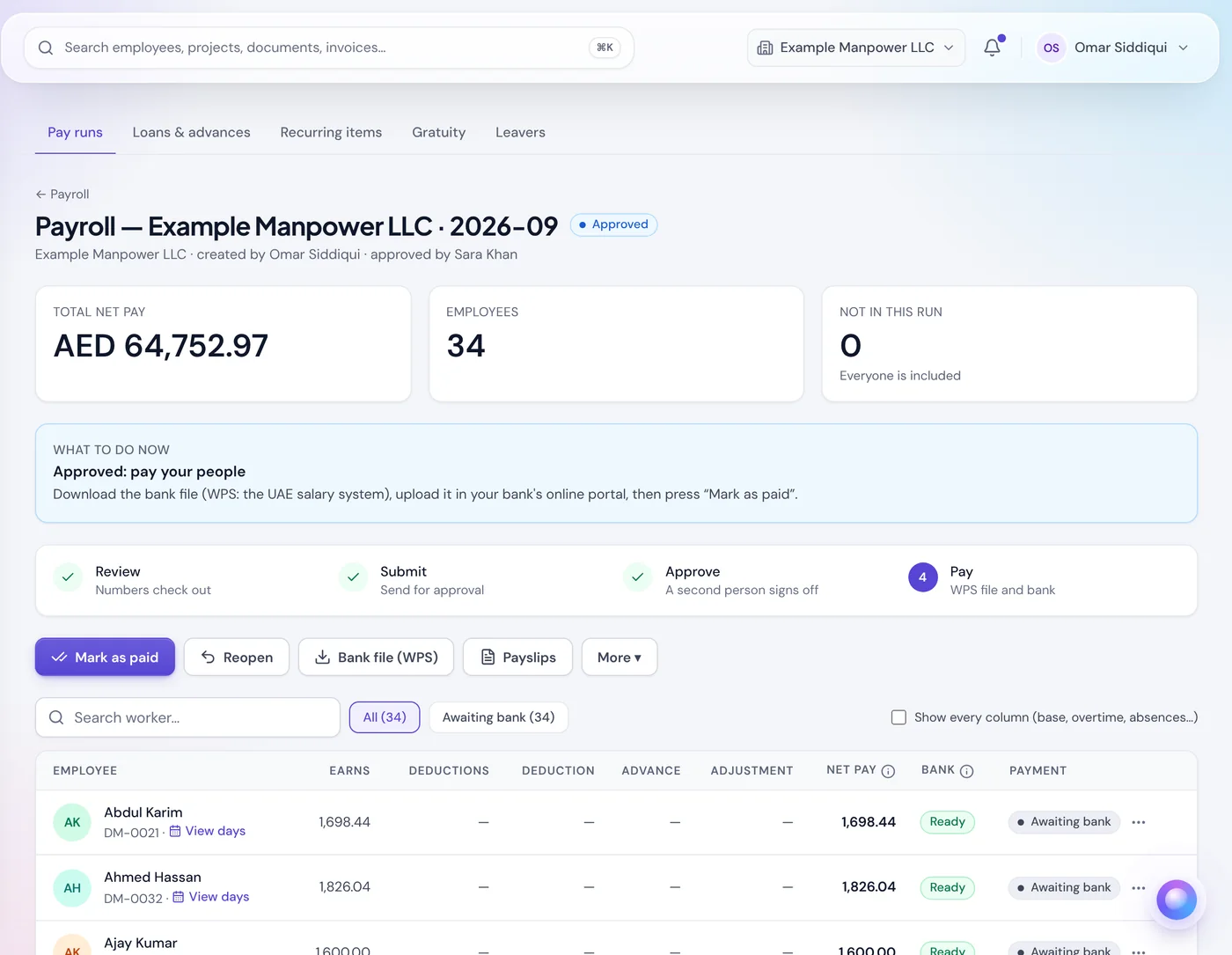
Payroll for a workforce paid monthly, through WPS: every figure is calculated the same way, checked before money moves, and exported for the bank.
Payroll runs from approved hours, with each employee's pay structure applied. Overtime, rest-day premiums and absences are worked out from the record, day by day.
See the total, the headcount and anyone left out before anything moves. A missing bank detail is flagged so you can fix it and rebuild the run.
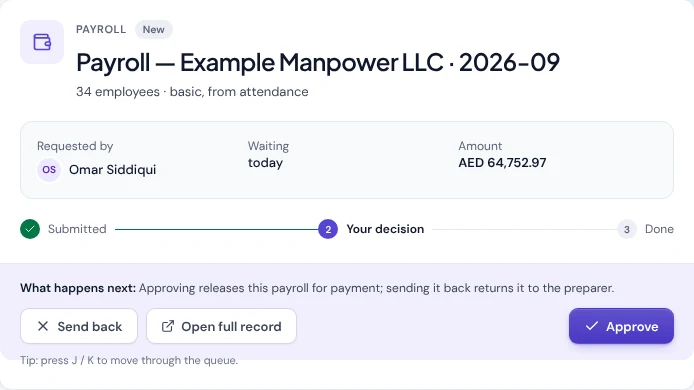
Above your approval limit the person who created the run can't approve it. The decision, and every change behind it, is written to the audit log.
Download the WPS salary file built from each employee's stored bank and routing details, upload it to your bank or exchange house, then mark the run paid.
EDR,17395208112895,302420101,AE210247672661146149039,2026-09-01,2026-09-30,30,1450.00,150.00,2
EDR,17114994887262,309020101,AE770901753264533355832,2026-09-01,2026-09-30,30,1350.00,212.50,1
… 32 more employee records
SCR,0000123,302620101,2026-10-21,0442,092026,34,64752.97,AED,AE900261012345678901234
A SIF file your bank actually accepts, pay rules applied consistently, and a paper trail for every change.
Bank and routing details, labour card numbers and salary figures come straight from the employee record used every month, not re-typed into a fresh spreadsheet each time. That's the single biggest cause of a rejected file.
EDR,17395208112895,302420101,AE210247672661146149039,2026-09-01,2026-09-30,30,1450.00,150.00,2
EDR,17114994887262,309020101,AE770901753264533355832,2026-09-01,2026-09-30,30,1350.00,212.50,1
… 32 more employee records
SCR,0000123,302620101,2026-10-21,0442,092026,34,64752.97,AED,AE900261012345678901234
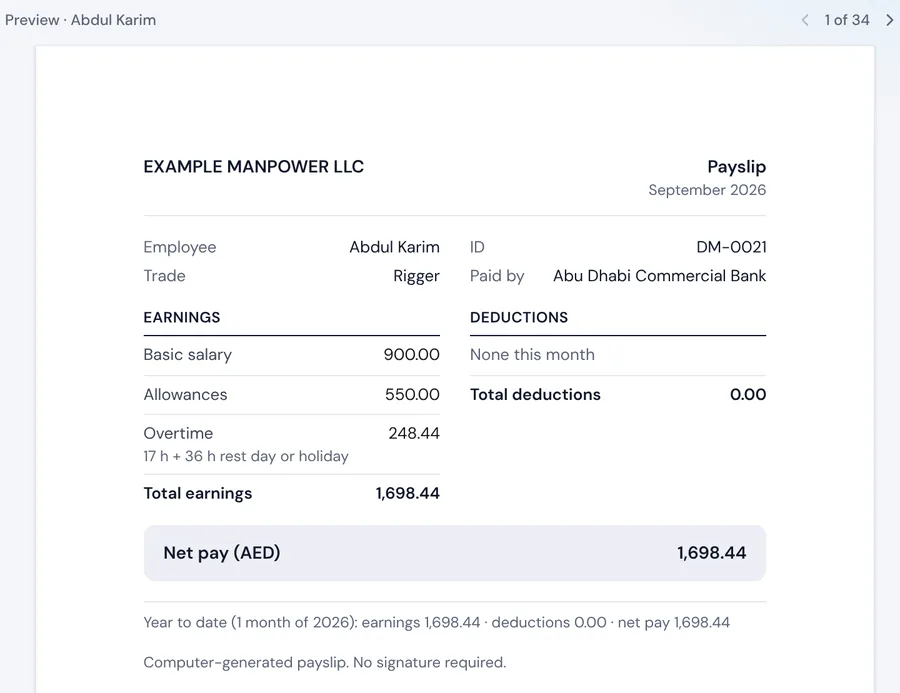
Itemised (basic plus allowances), flat monthly or hourly, with overtime and rest-day premiums applied on top automatically.
Calculated the same way every time.
Workers open their own payslip in a browser.
A payroll run above a set threshold can't be approved by the same person who created it, so a payroll error is caught before the transfer, not after.
Approval thresholds, a four-eyes rule above them, and a record of who changed what and when.
Everything you need to approve and pay is on the run page: the total, who's in it, where you are in the process, and the bank file.
Net pay, headcount and anyone left out, before you submit.
Review, submit, approve, pay: the next step is always clear.
Download the WPS file for your bank, then mark the run as paid.
Already have a file? Check it with the free WPS SIF file checker, or see ManpowerSync vs Excel.
Where the approved hours payroll runs from actually come from: Excel, manual entry or supplier submissions.
Read moreThe same approved hours, turned into VAT-ready client invoices instead of a second spreadsheet.
Read moreThe end-of-service figure for any leaver, with the working shown. Payroll applies the same formula automatically.
Read moreThe most common reasons a WPS salary file bounces back, and how to stop them recurring every month.
Read moreWho is entitled to end-of-service gratuity in the UAE: the one-year rule, what counts as basic salary, the cap, when it is paid and how free zones differ.
Read moreWhat a final settlement in the UAE includes, from unpaid wages and gratuity to unused leave and notice pay, how to work it out and when it must be paid.
Read moreDaily and weekly working-hour limits, overtime rates, night-shift premiums and rest-day pay under UAE labour law. And how to apply them consistently across a large workforce.
Read moreThe salary file is built from each employee's stored bank and routing details and the approved payroll run, so nothing is retyped each month. It can be exported again for a run if you need it.
Itemised (basic plus allowances), flat monthly and hourly, with overtime and rest-day premiums applied automatically, plus recurring loan deductions and end-of-service gratuity.
Above a set approval threshold, no. A four-eyes rule stops a run being approved by the person who created it, and every figure and change is written to the audit log.
Bring your employees' bank details as they stand today. Nothing to re-key before your first run.