
1
Hours are approved
The hours a client's timesheet approver signs off are the only hours that can be invoiced, so what you bill is what was approved.
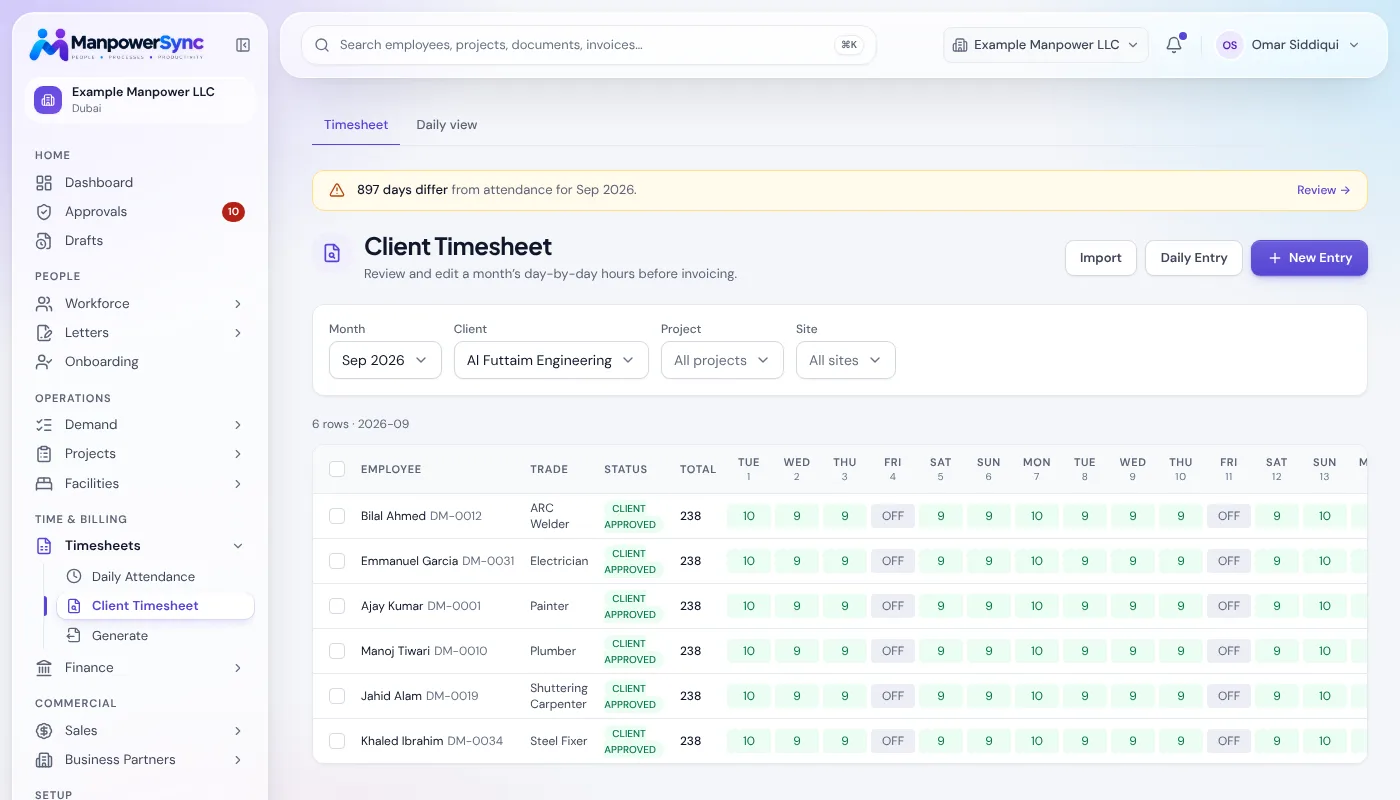
Every approved hour, billed. Invoices are built from the same approved hours as payroll, at each client's own rate, with VAT worked out.
Stop letting approved hours slip away before they are billed: no separate billing spreadsheet to drift out of sync with what payroll paid.
The hours a client's timesheet approver signs off are the only hours that can be invoiced, so what you bill is what was approved.
Trade rates per client and per project are applied to those hours, with VAT calculated and the total ready to send. Nothing is re-keyed.
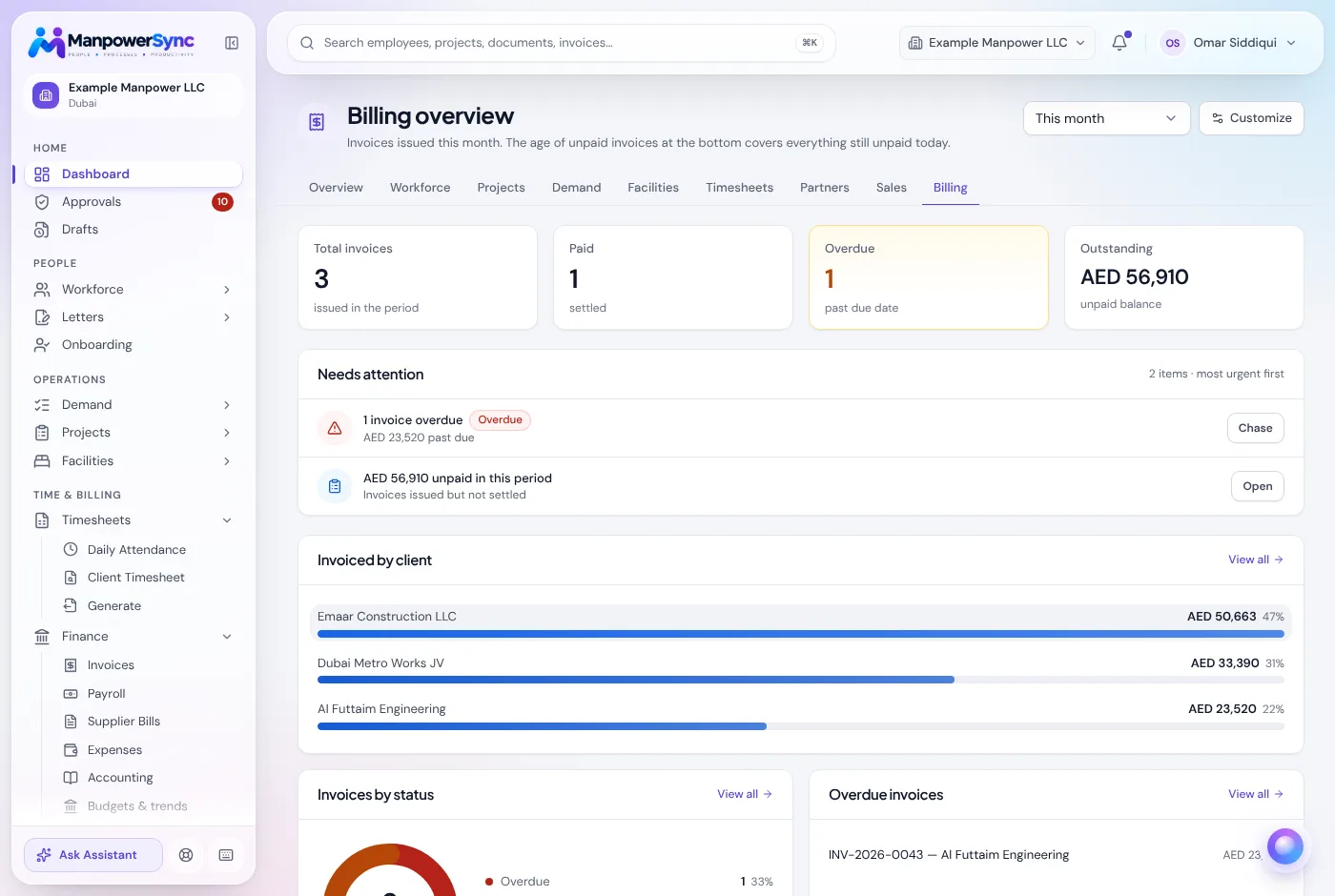
The billing dashboard shows what is outstanding and what is past due, with the overdue invoices listed so the right client gets the right reminder.
Client invoices, supplier bills, expenses and payments live together, not across three tools reconciled by hand at month end.
The hours a client's approver signed off are the hours that become their invoice, so there's no separate billing spreadsheet that can drift out of sync with what payroll actually paid.
Invoices are structured to match UAE VAT requirements, so finance isn't reformatting every export before it goes out.
Billed value against cost per client.
Paid, sent and overdue, per invoice.
What you owe suppliers, what you've spent and what clients have paid, with ageing and statements per partner.
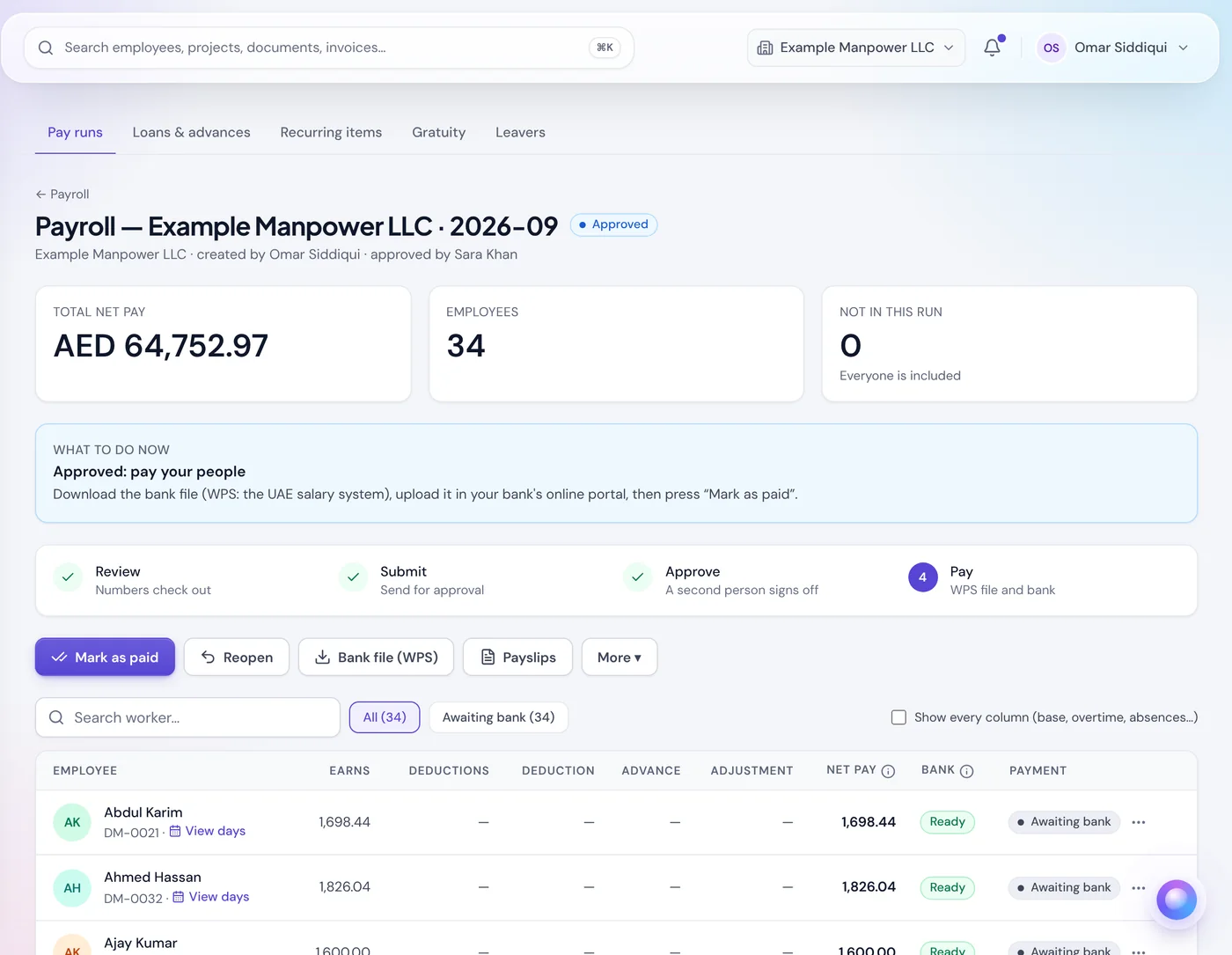
The approved hours also drive the payroll run, so what you bill and what you pay are built from one record.
What employee time recording software records, the features that matter for payroll and client billing, how the main methods compare, and the questions to ask before you buy.
Read moreThere is no single best employee time tracking software. Match the tool to your workforce: office teams, field crews or labour supply, with a checklist to score any option.
Read moreWhy clients reject or short-pay labour supply invoices over hours, and the contract terms, sign-off steps and record-keeping that stop it happening.
Read moreFrom the hours a client's approver already signed off, multiplied by that client's agreed trade rates, so the invoice and payroll are built from the same approved hours.
Yes. Rates are set per client, with overrides per project, so each invoice is generated against the rate agreed for that work.
Yes. Invoices move through draft, sent, paid and overdue, with the overdue balance on the billing dashboard, and supplier bills, expenses and payments sit in the same ledger.
See how much revenue is currently slipping through the gap between timesheets and invoices.