
1
Hours come in
Upload the monthly Excel workbook as it is and every month tab is detected, enter hours by hand for a site with no system, or let a subcontractor submit through their own portal.
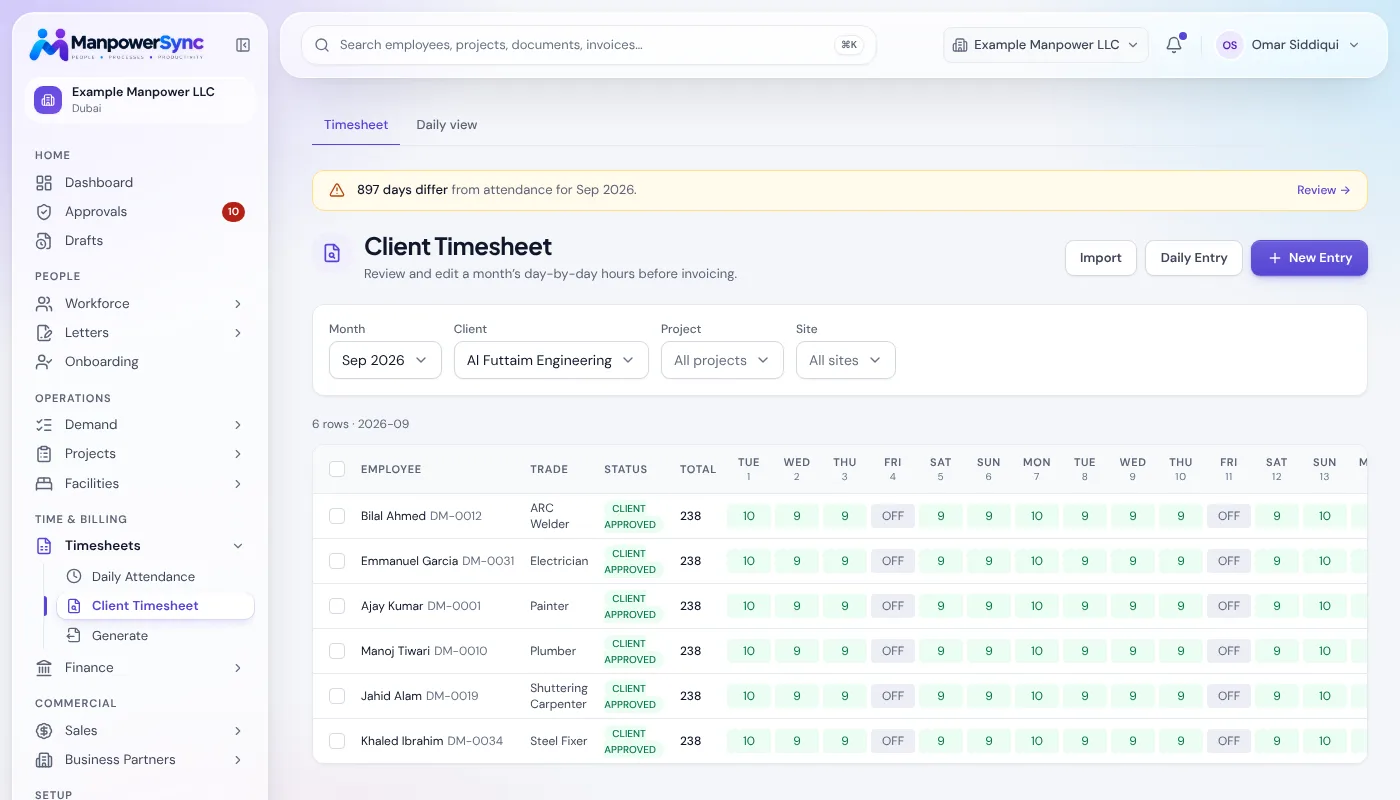
Enter hours once. Overtime and rest-day rules are applied as they arrive, and the approved hours flow straight to invoices and payroll.
The same consolidated workbook your sites already send, a site with no system, or a subcontractor's own submission: one system reconciles all three.
Upload the monthly Excel workbook as it is and every month tab is detected, enter hours by hand for a site with no system, or let a subcontractor submit through their own portal.
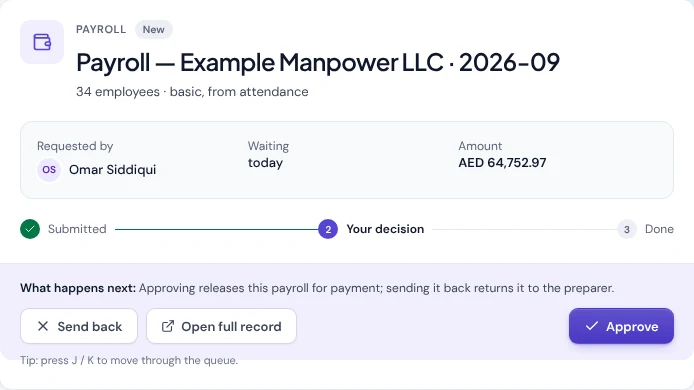
Overtime over threshold, missing days and rest-day work are flagged as hours arrive, so supervisors sign off in one place and every change lands in the audit log.
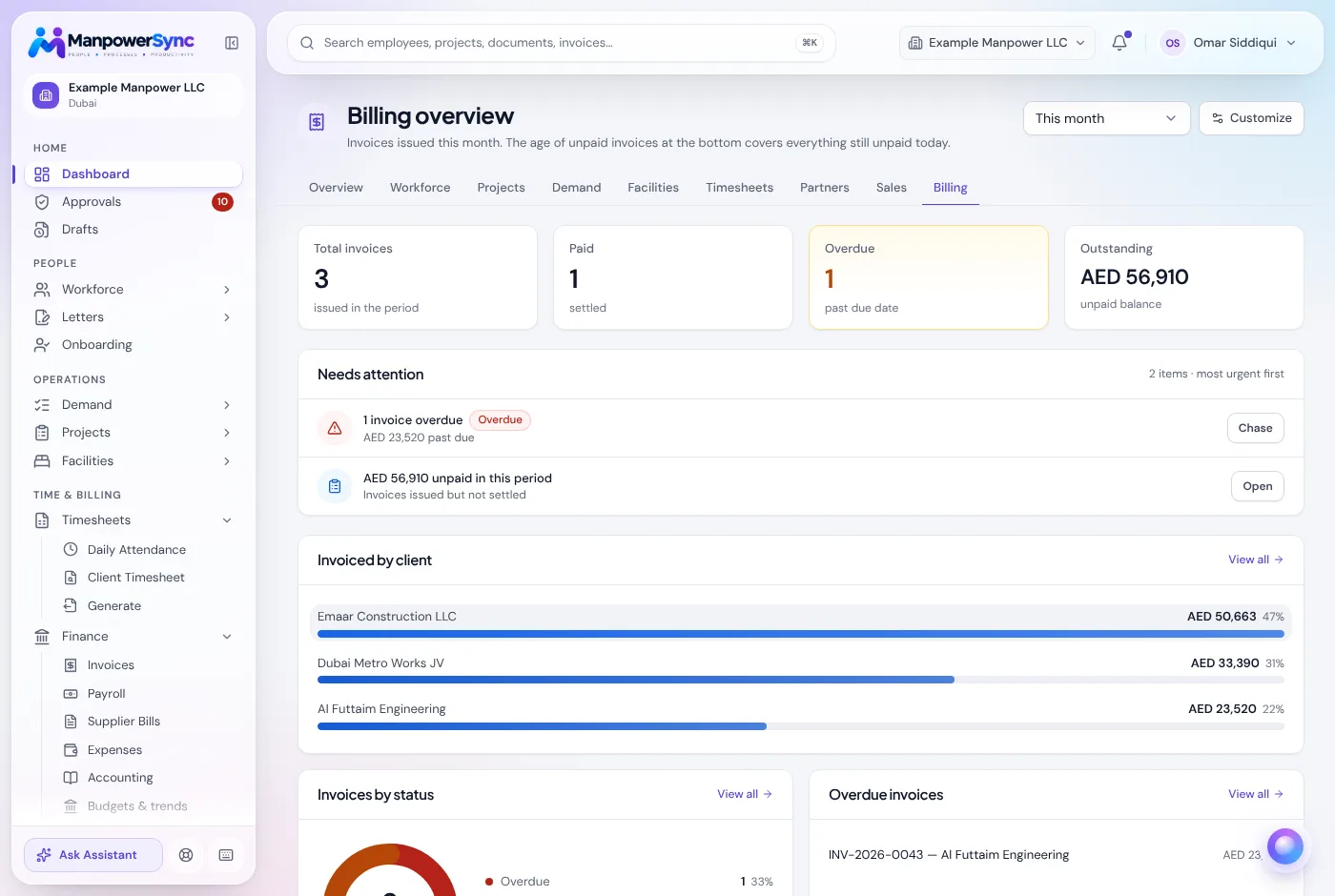
The same approved hours become client invoices at each client's own rate and the input to payroll, so nothing is retyped between teams.
Excel workbook import, manual and client timesheets, overtime and rest-day rules, and one approval queue.
The same consolidated Excel workbook your sites already send in, entered manually for a site with no system, or submitted by a subcontractor through their own portal. One system reconciles all three.
Exceptions and overtime are flagged as hours come in, not worked out by hand at month end.
Supervisors sign off in one place instead of chasing separate sheets.
Approved hours are never retyped.
Edits to hours are recorded with who changed what and when, so a disputed day has an answer.
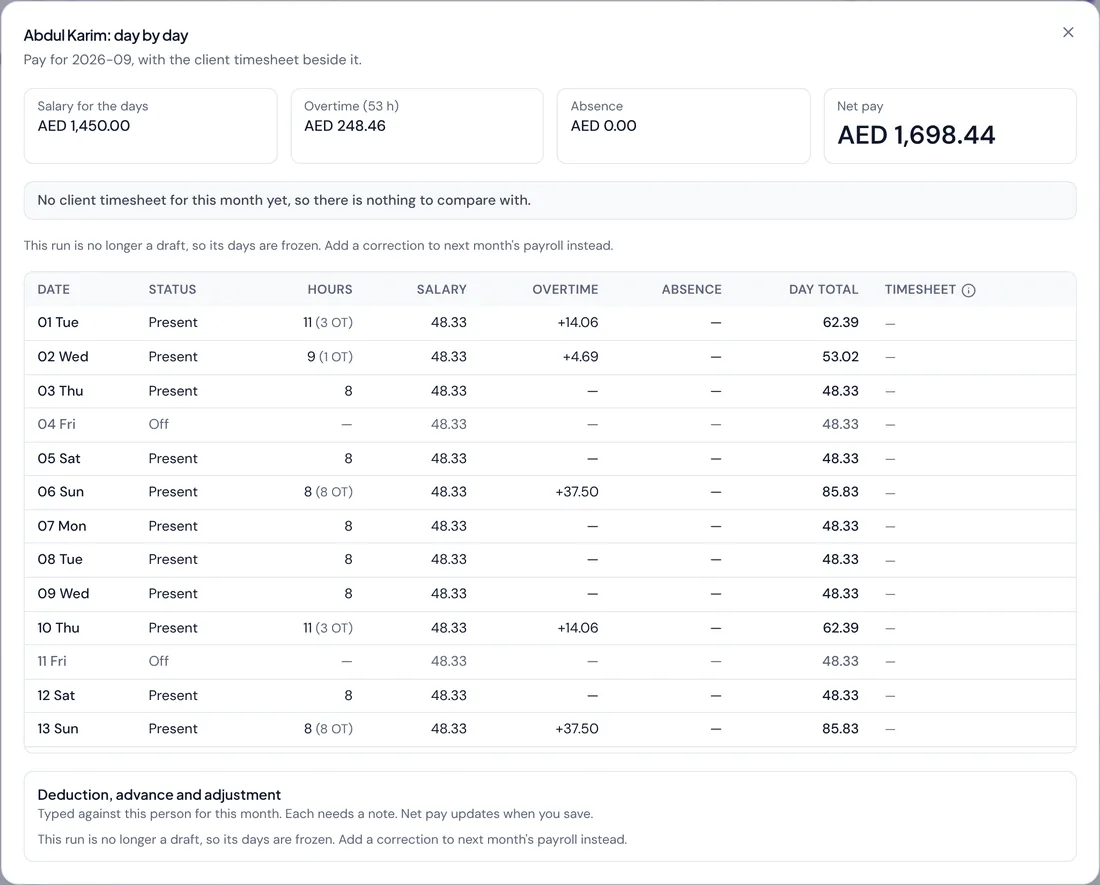
The same approved days drive payroll: salary for the days worked, overtime hours and absence, with each day's total and the net pay for the month.
Need a layout to start from? Download the free timesheet template.
What employee time recording software records, the features that matter for payroll and client billing, how the main methods compare, and the questions to ask before you buy.
Read moreThere is no single best employee time tracking software. Match the tool to your workforce: office teams, field crews or labour supply, with a checklist to score any option.
Read moreWhy clients reject or short-pay labour supply invoices over hours, and the contract terms, sign-off steps and record-keeping that stop it happening.
Read moreAs the consolidated Excel workbook your sites already send, entered manually for a site with no system, or submitted by a subcontractor through their own portal. One system reconciles all three.
They are flagged as hours arrive rather than worked out by hand at month end, and supervisors approve in one queue with every change recorded in the audit log.
No. The same approved hours become client invoices and payroll input, so nothing is retyped between the teams that track attendance and the teams that bill and pay.
Upload your current workbook as it is. Every month tab is detected and reconciled automatically.